
Confirmation of study at MENDELU
Where to find your confirmation of study (in Czech or English) and how to download it as a PDF with the university's electronic seal, at every faculty (PEF, AF, LDF, ZF, FRRMS).
1Where do you want to download it?
2Download the confirmation


On an iPhone you then pick where to save or send the PDF. On Android it goes to Downloads.
In the reIS app, open Profile › Documents.
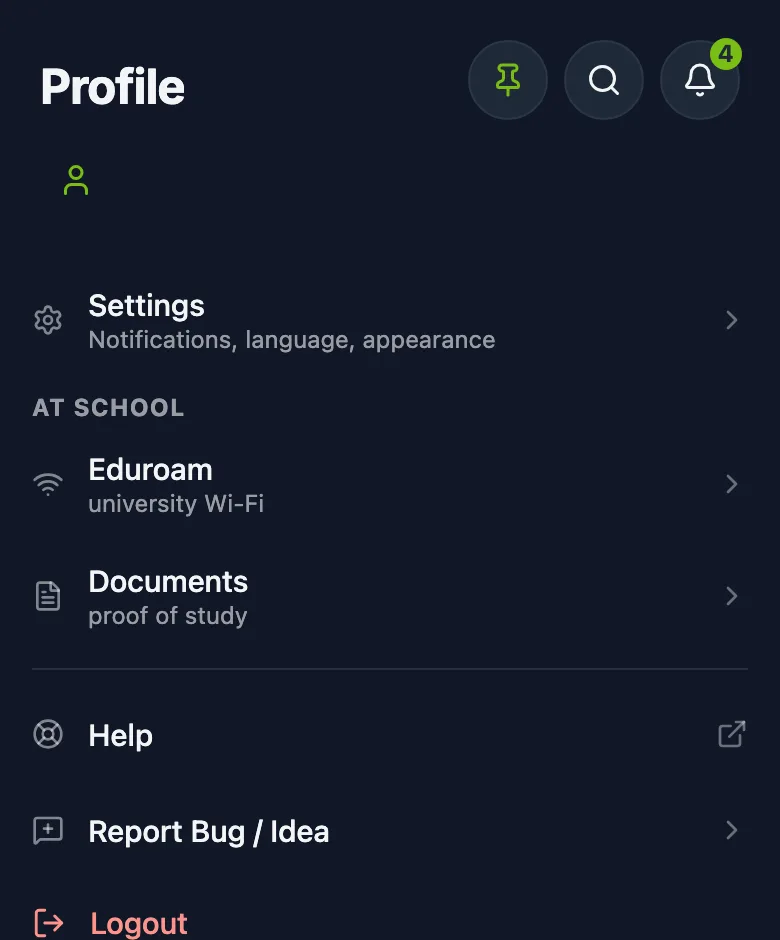
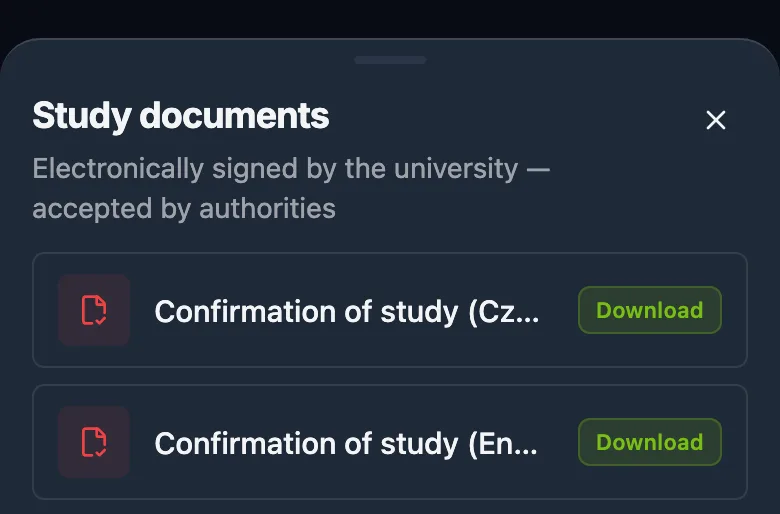
Tap Download next to Confirmation of study (English or Czech).
On Firefox? Get the Firefox extension.
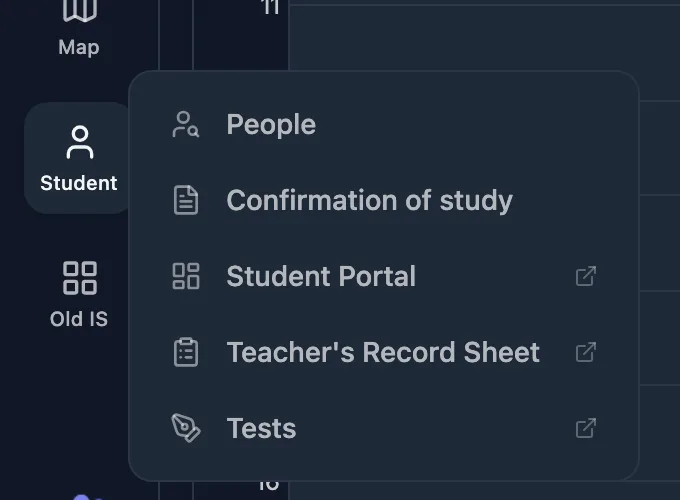
In reIS, click Student › Confirmation of study on the left.
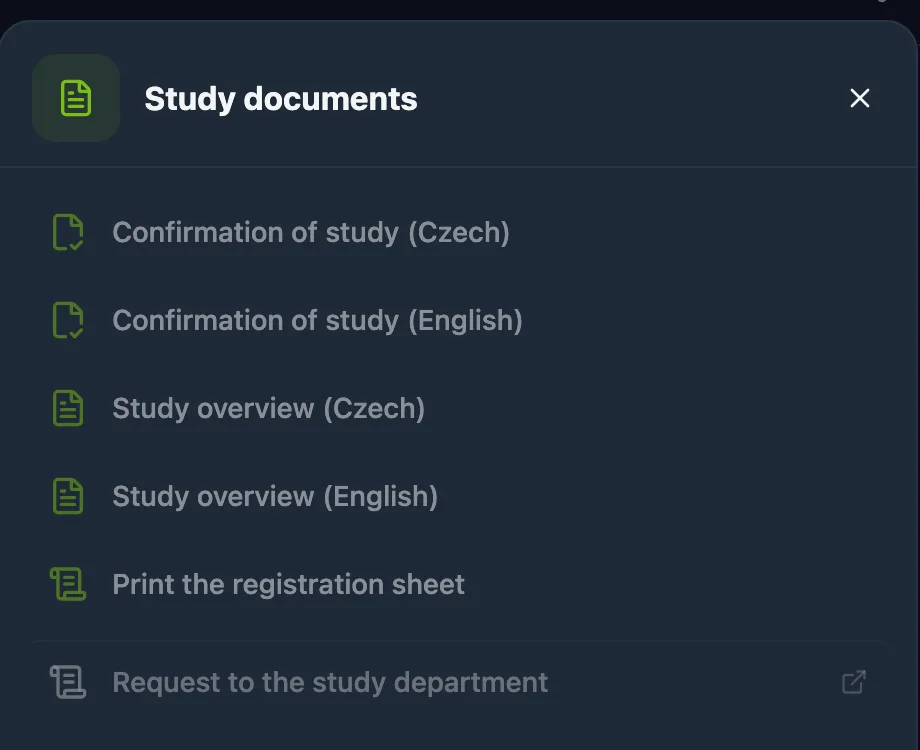
In the Study documents panel, click Confirmation of study (English); the PDF goes to your downloads.
Without reIS: the official way in UIS
- Log in at is.mendelu.cz and open the Student portal (Portál studenta).
- Under Podpora zvoleného studia, click Tisk dokumentů.
- Under Tisk elektronicky pečetěných dokumentů, click Potvrzení o studiu v angličtině (or Potvrzení o studiu for Czech).
- A sealed copy also shows up in Úložiště dokumentů within an hour.
Not working?
- It downloaded without the seal. UIS sometimes can't issue it. reIS then downloads the unsealed version and tells you. If the office needs the seal, try again later.
- The office wants paper with a stamp, or its own form? Your faculty's study office confirms those.
Otherwise your faculty's study office or helpdesk.mendelu.cz.
Checked on 19 November 2026 in UIS (Portál studenta › Tisk dokumentů). reIS is made by MENDELU students; it is not an official MENDELU app.
More guides: Exam registration · Campus map · eduroam · Dorms · Course files and syllabus · ISIC top-up · reIS for Claude