
eduroam at MENDELU
How to connect to the eduroam Wi-Fi at every faculty (PEF, AF, LDF, ZF, FRRMS) in a minute, with no faro-free and no certificates to download.
1Where do you want eduroam?
2Set up eduroam


Mobile data is enough. On a Mac, reIS is also in the App Store.
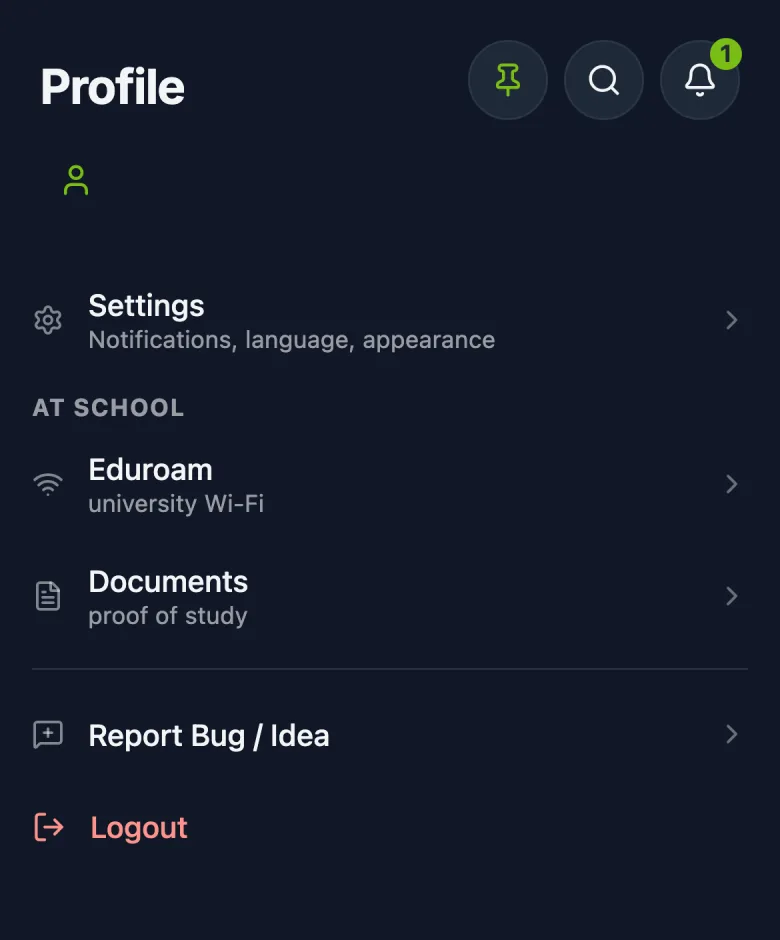
In the reIS app, open Profile › Eduroam.
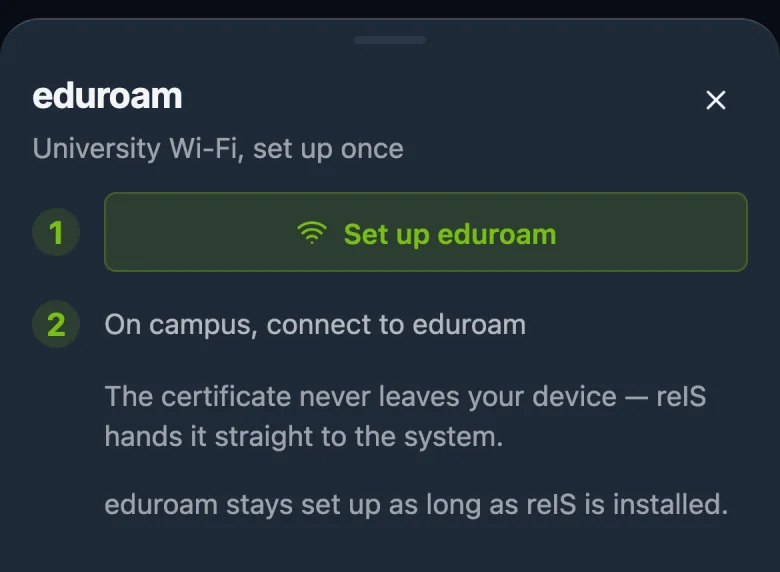
Tap Set up eduroam and confirm.
On Firefox? Get the Firefox extension. Then open eduroam in reIS.
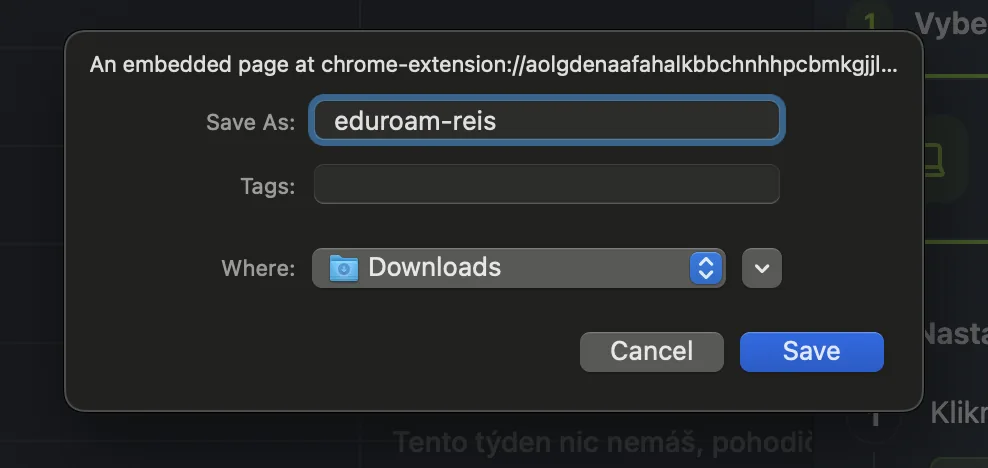
Click Download eduroam profile and open the file.
Open System Settings › Profiles.
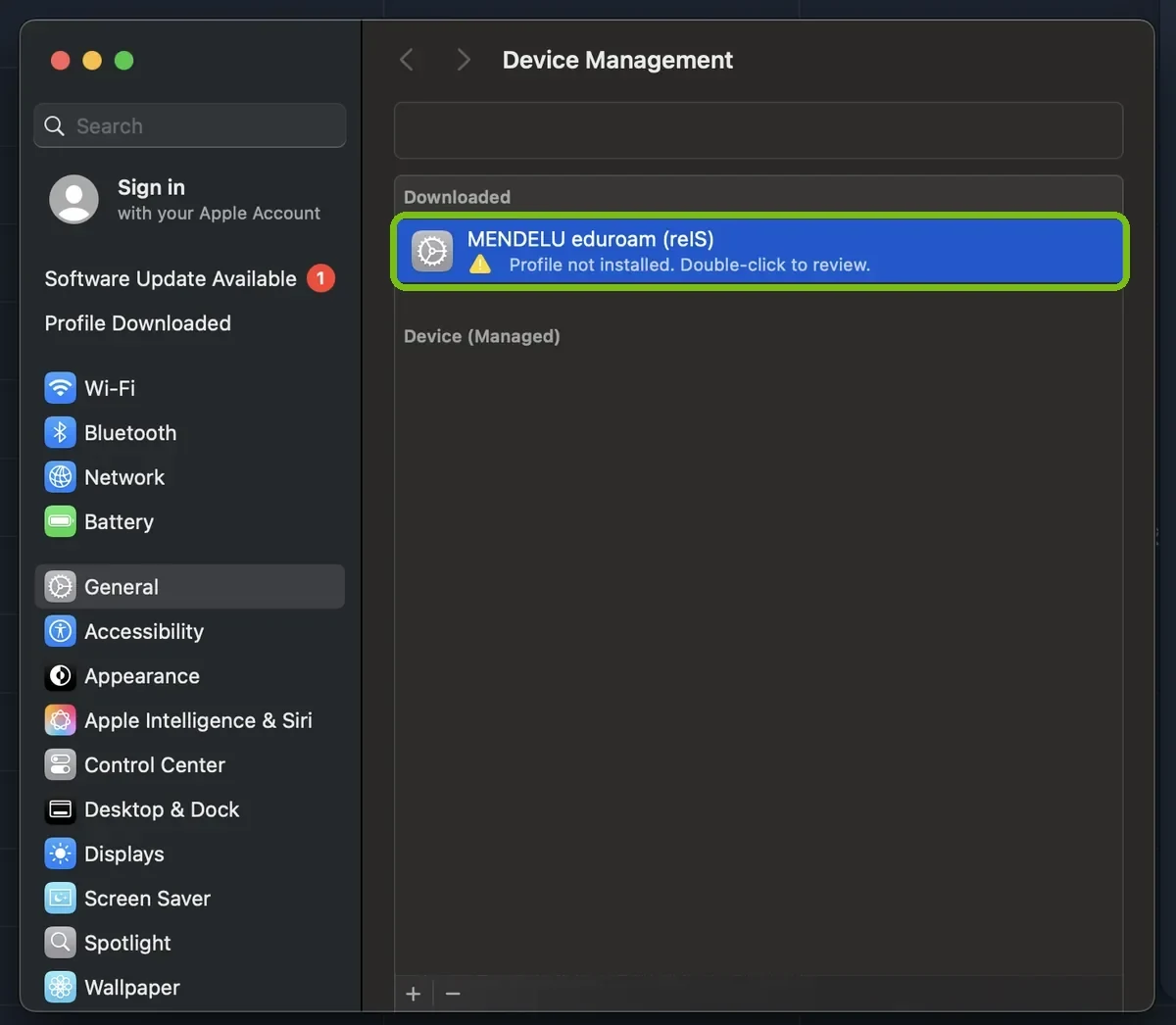
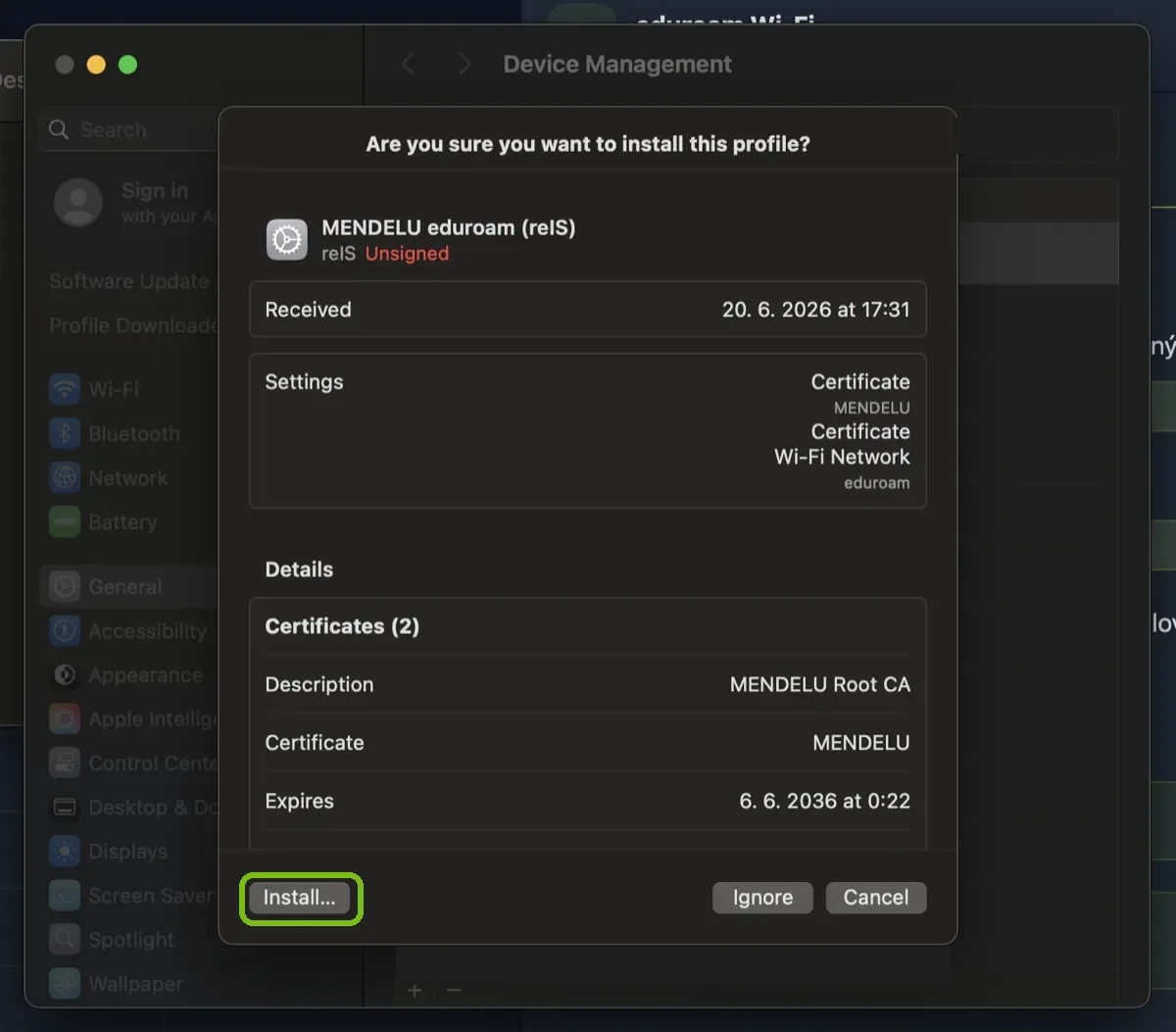
Double-click "MENDELU eduroam (reIS)" › Install.
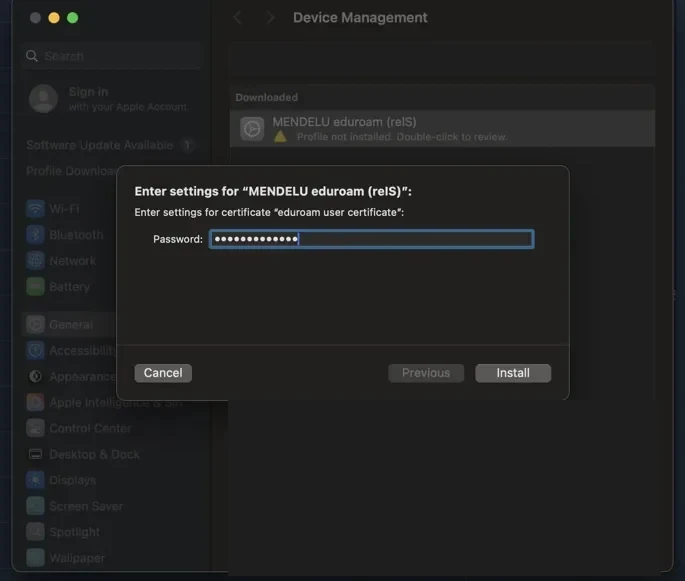
Enter the password reIS shows you.
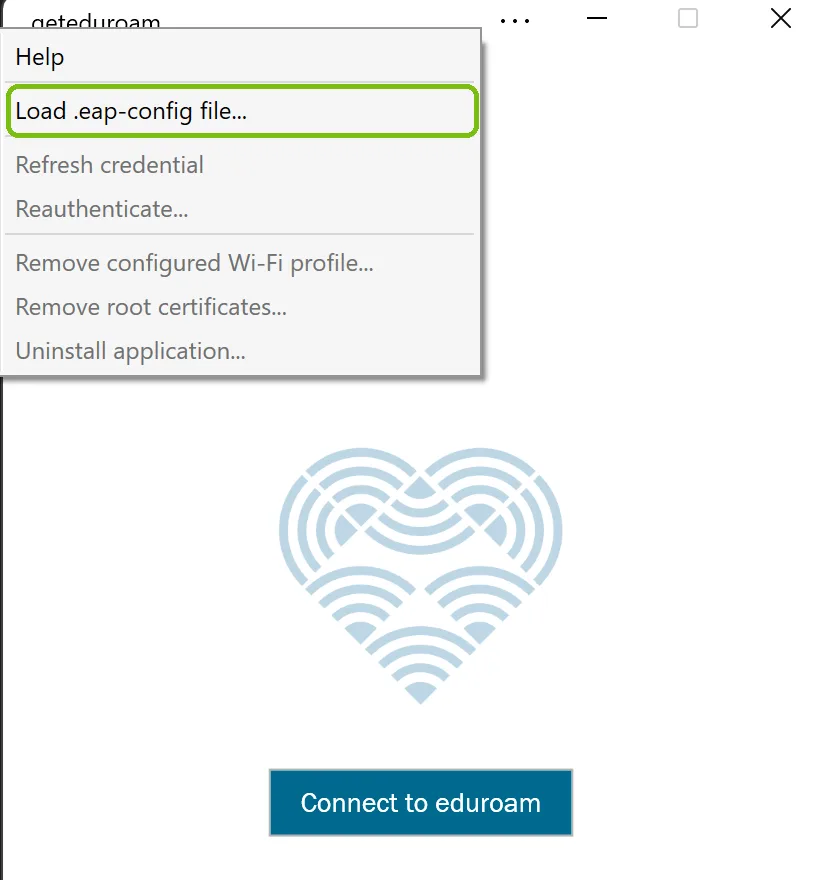
Install the geteduroam app once. Then open eduroam in reIS and click Download eduroam profile.
In geteduroam, click ··· › Load .eap-config file…
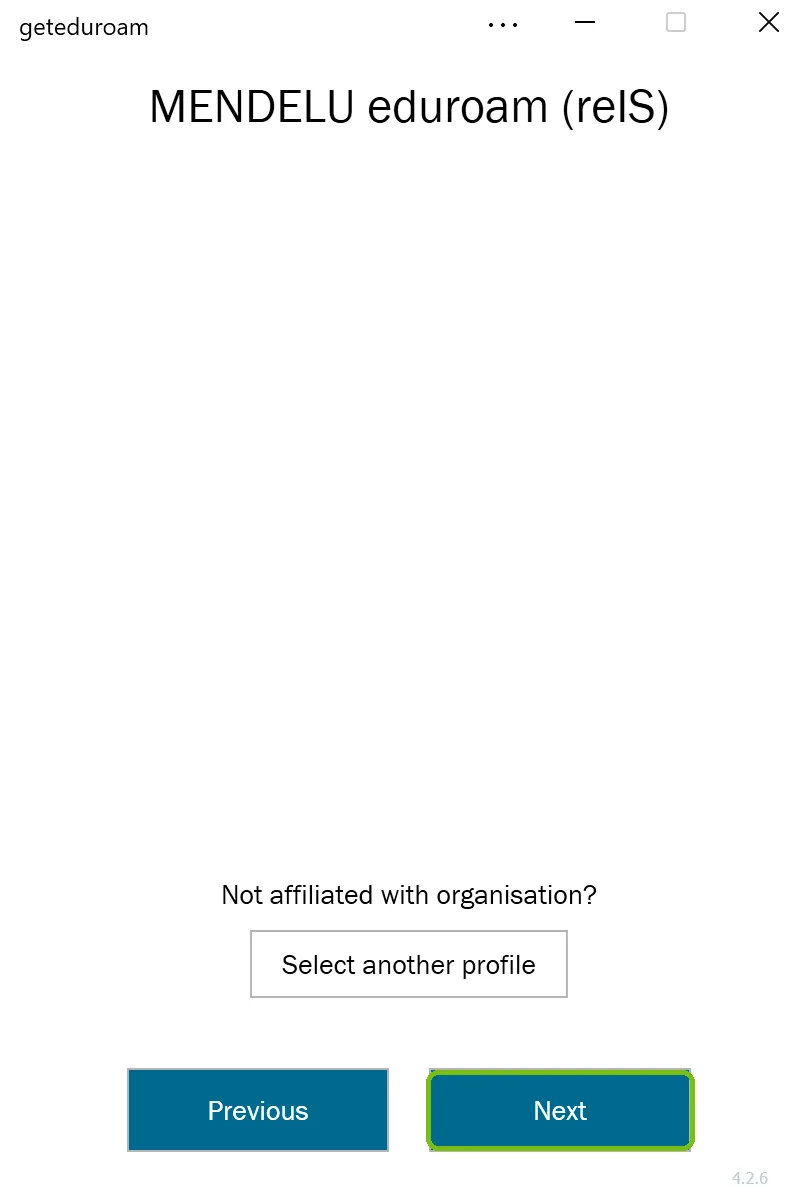
Open the downloaded eduroam-reis.eap-config.

Click Next.
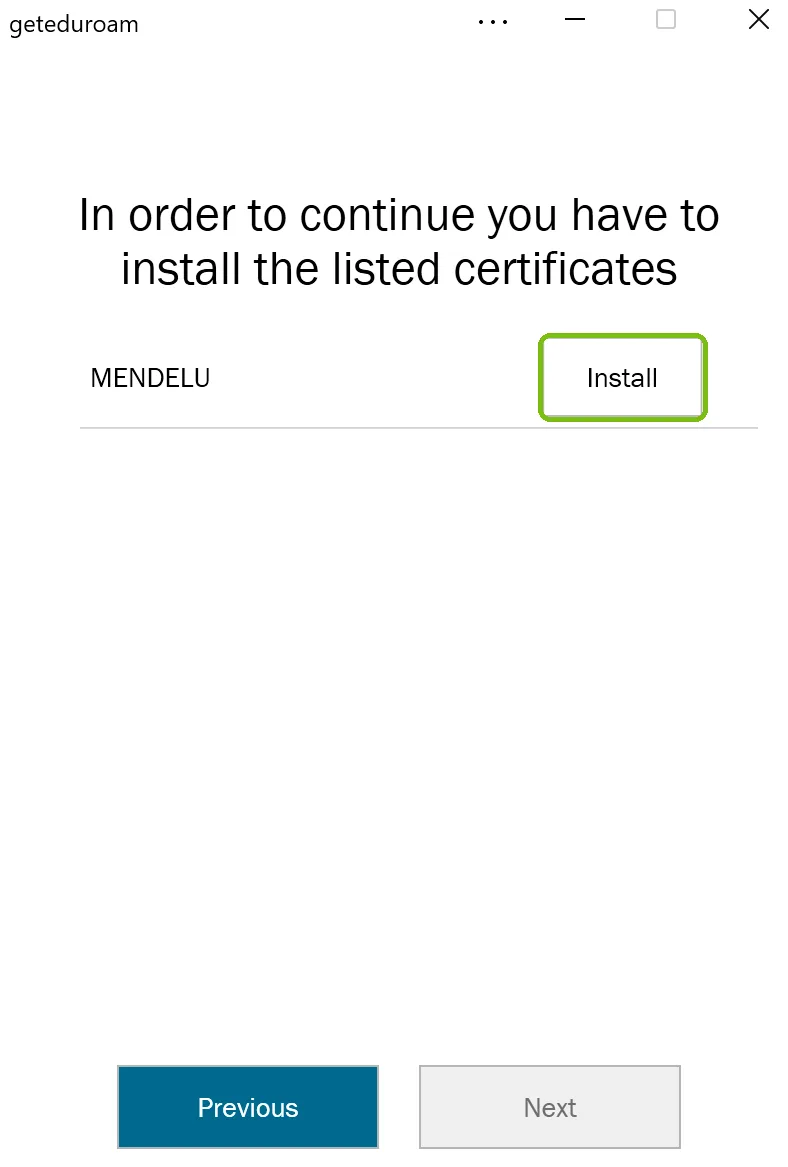
Click Install next to the MENDELU certificate.
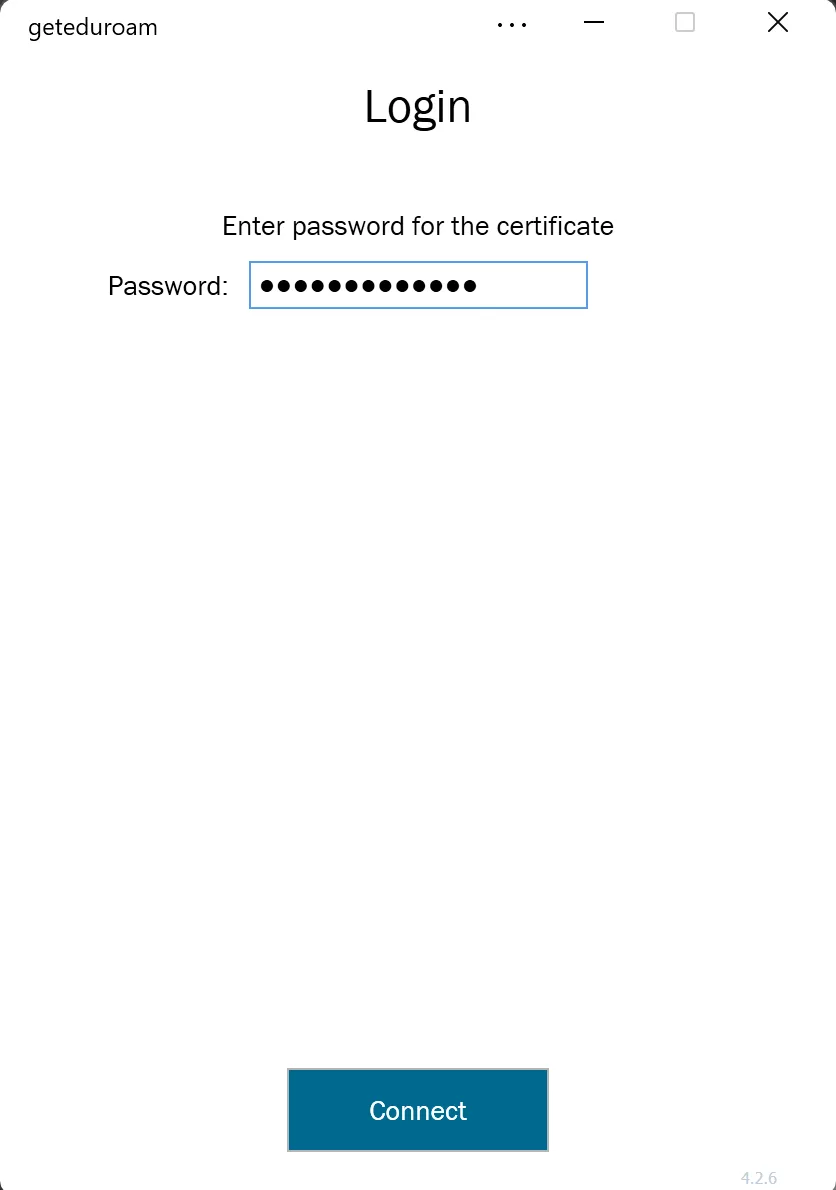
Enter the password from reIS and click Connect.
Without reIS: the official way
- Connect to faro-free and log in at is.mendelu.cz.
- In UIS, open the eduroam certificate page (Czech: Technologie a jejich správa › Certifikát bezdrátové sítě) and generate a certificate. Copy its password.
- Download the user and root certificates and install them:
eduroam not working?
- Certificate expired. It lasts 366 days and IS never renews it. reIS warns you ahead of time.
- Two certificates installed. Keep only the valid one.
- iPhone won't download the certificate. Use Safari.
- Android asks for a domain.
mendelu.cz, no trailing space. - "Unable to join" off campus. That's fine: eduroam isn't in range.
- Logging in to eduroam: which password? There isn't one. You sign in with a certificate; the only password is the certificate's, and reIS shows it to you.
- Mendelu-host won't work. It's for guests only; students connect to eduroam.
Otherwise helpdesk.mendelu.cz or the official FAQ.
Checked on 15 November 2026 against eduroam.mendelu.cz. reIS is made by MENDELU students; it is not an official MENDELU app.
More guides: Exam registration · Campus map · Dorms · Course files and syllabus · ISIC top-up · Confirmation of study · reIS for Claude