
Course files and syllabus
Every study material of a course in one place, plus the completion requirements from its syllabus, at every faculty (PEF, AF, LDF, ZF, FRRMS). In your browser you download the files at once as one ZIP.
1Where do you want your files?
2Open a course


On the phone you download files one by one. To get them all at once as a ZIP, use the extension on a computer.
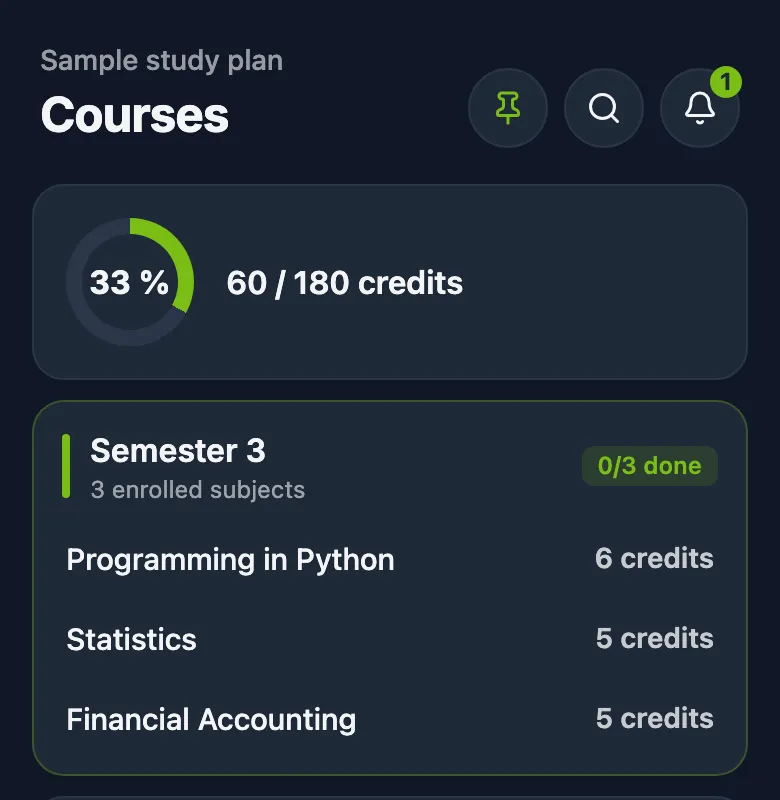
In the reIS app, open Courses and tap a course.
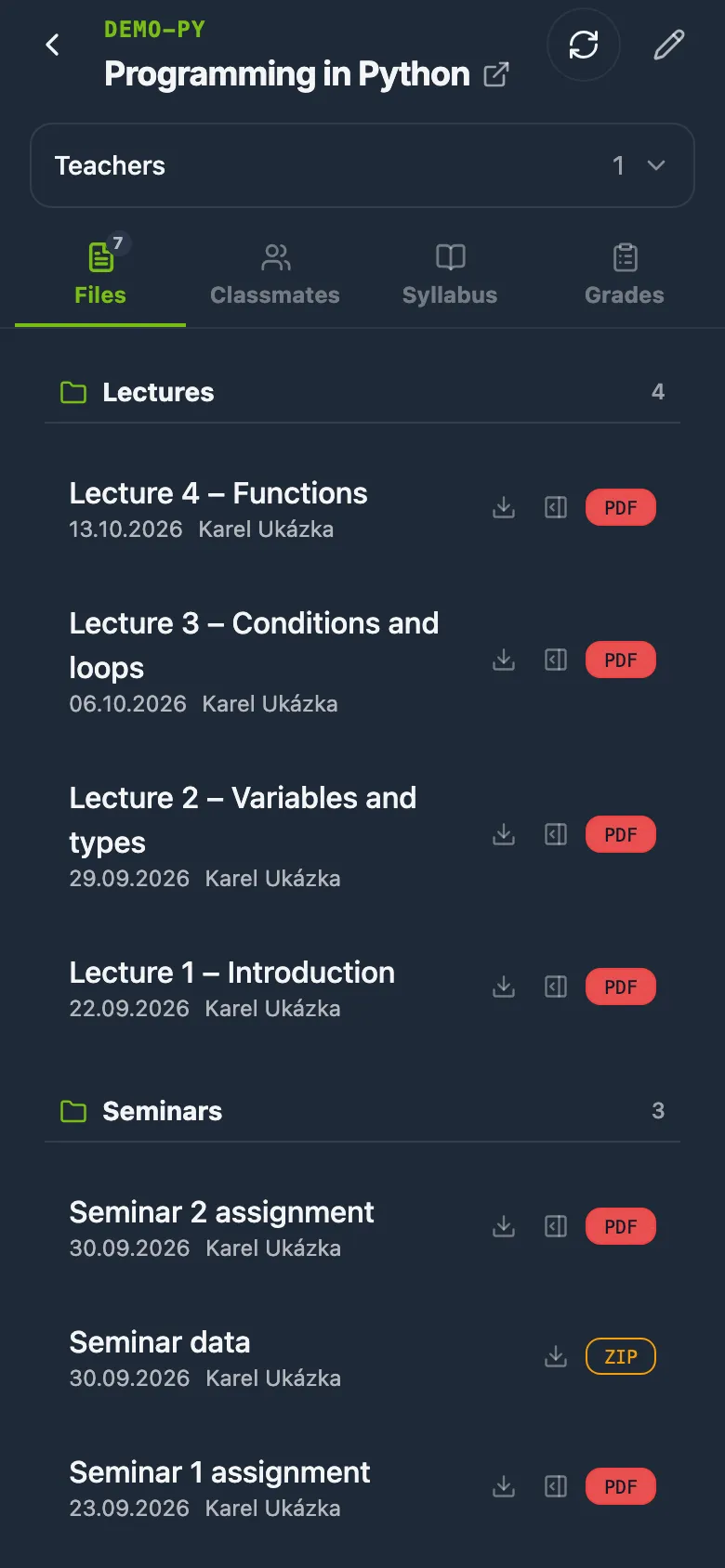
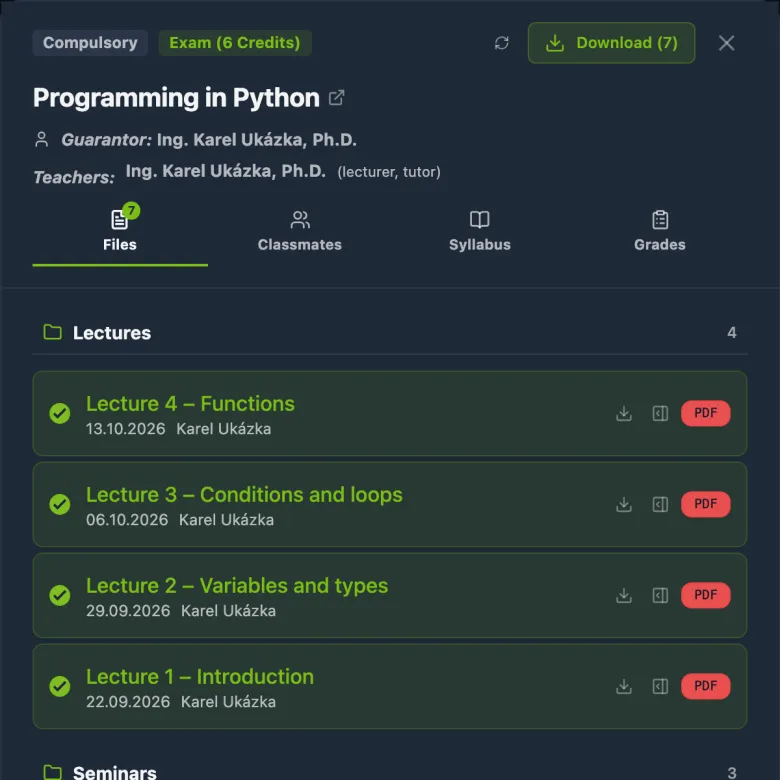
On the Files tab, tap a file to open it, or the arrow to download it.
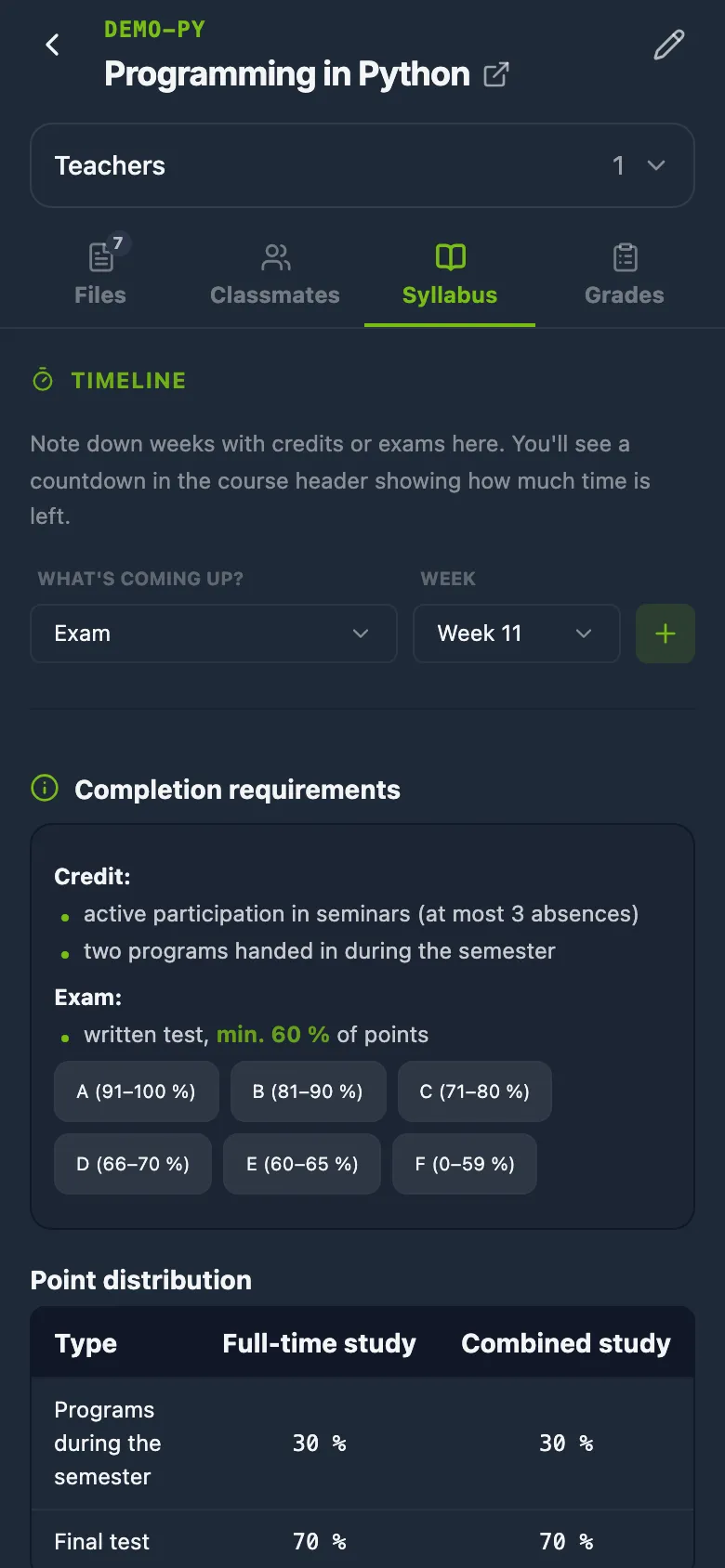
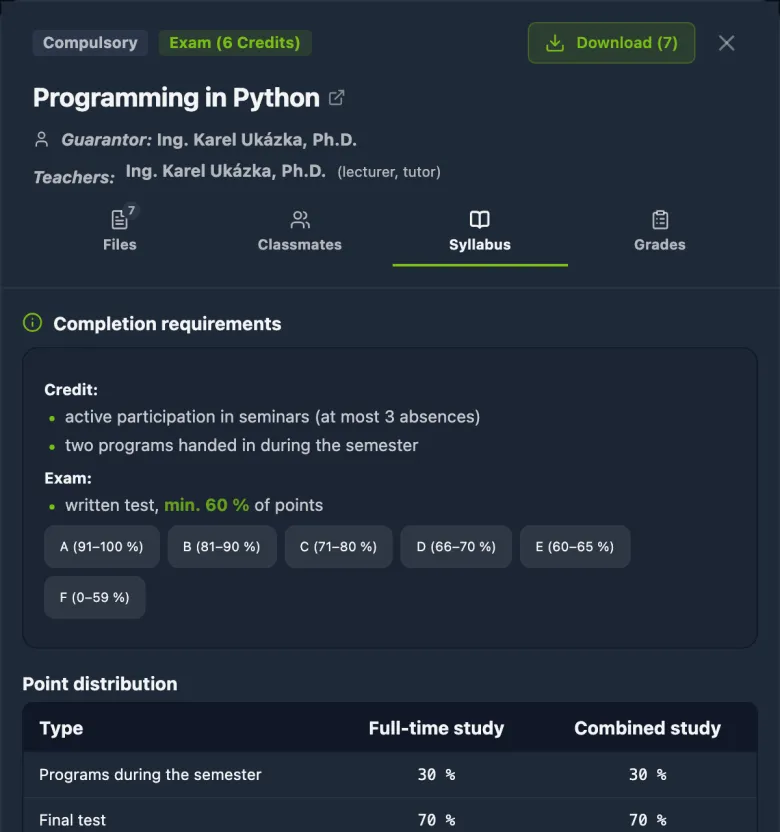
The Syllabus tab shows the completion requirements and the point distribution.
On Firefox? Get the Firefox extension.
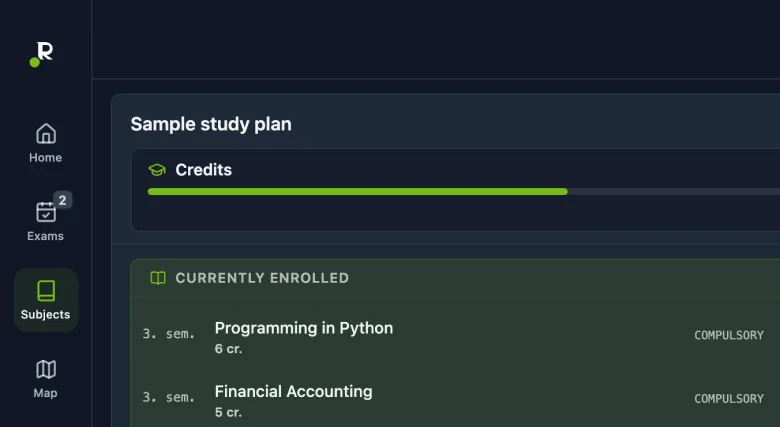
In reIS, click Subjects on the left, then a course.
Drag the mouse over the files (or tick them) and click Download. They arrive in one ZIP.
The Syllabus tab shows the completion requirements and the point distribution.
Without reIS: the official way
- Sign in at is.mendelu.cz and open Student's portal › My lectures sheet (in Czech: List záznamníku učitele).
- Next to the course, click the icon in the documents column. It opens the course's folder of study materials on the document server.
- Open or download the files from the folder.
- The course name in that list links to its syllabus.
Any course's syllabus is also in the public Course catalogue, no sign-in needed: type the course name or code and search. The requirements are under "Mode of completion and number of credits", "Assessment methods" and "Assessment criteria ratio". Sources: UIS presentation (LDF, in Czech) and the Course catalogue.
Can't see the files?
- The Files tab is empty. The teacher hasn't put anything in the IS folder yet, or shares materials elsewhere, for example in Moodle.
- A new file is missing. Tap refresh (the circular arrows) at the top. reIS marks new files with NEW.
- No Download button in the extension. Select at least one file first. One file downloads on its own, more come as a ZIP.
- Something is missing from the ZIP (extension). A file IS didn't hand over at that moment is left out. Download it separately with the arrow next to it.
- The syllabus is empty. reIS shows what the syllabus in IS says. If it lists no requirements, ask the course guarantor.
Otherwise ask the course guarantor or helpdesk.mendelu.cz.
Checked on 16 November 2026 against the Course catalogue and the UIS presentation (LDF). reIS is made by MENDELU students; it is not an official MENDELU app.
More guides: Exam registration · Campus map · eduroam · Dorms · ISIC top-up · Confirmation of study · reIS for Claude