
ISIC top-up at MENDELU
How to add credit to your ISIC card and pay with it in the MENDELU canteens. A few taps on your phone, no digging through WebISKAM.
1Where do you want to top up?
2Top up your ISIC


Profile is in the bottom bar. The menu (Jídelníček) in Calendar shows the balance too.
In the reIS app, open Profile › ISIC.
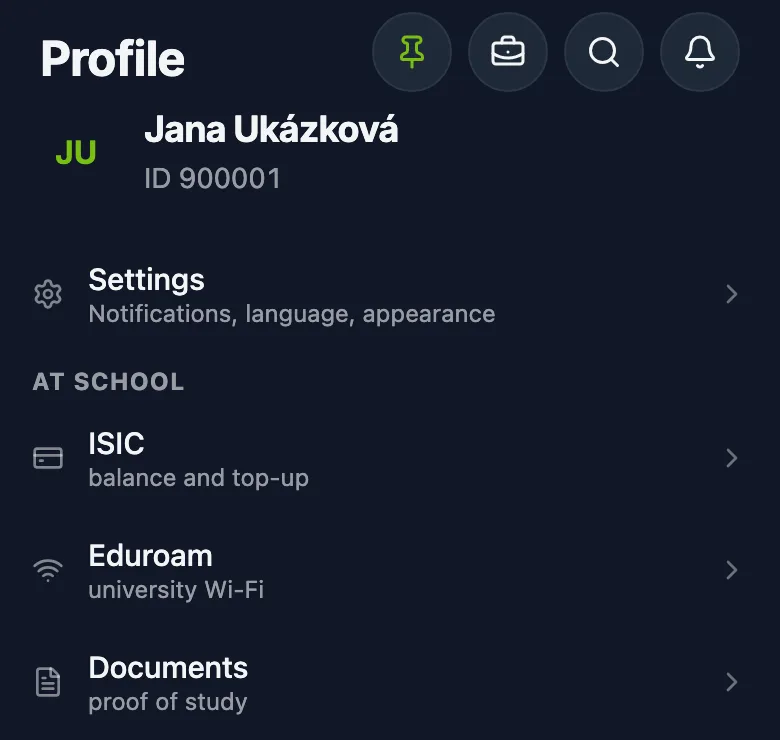
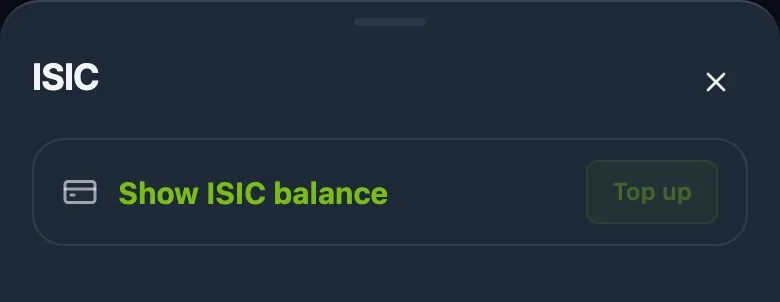
The first time, tap Show ISIC balance and sign in as you do in UIS.
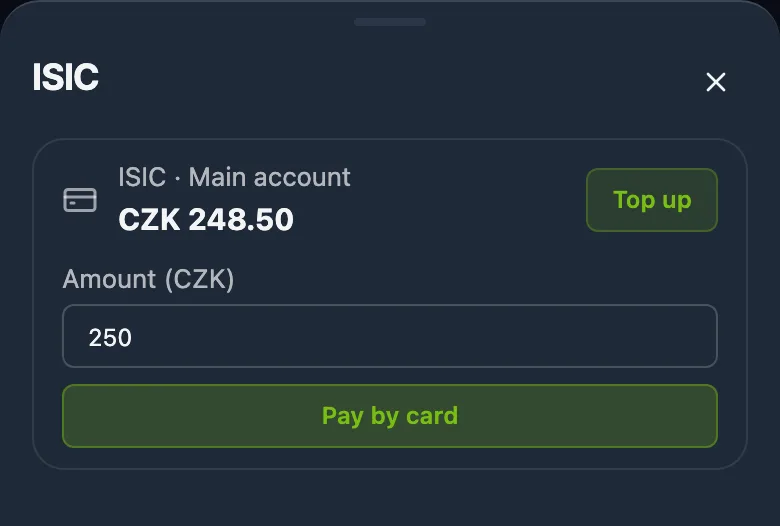
Tap Top up, enter the amount and choose Pay by card (or Google Pay on Android).
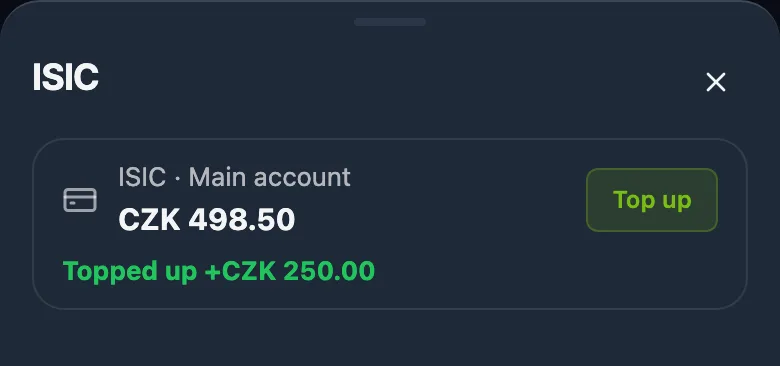
Pay on the GoPay page and close it. reIS shows the new balance.

Quickest on your phone. The reIS browser extension can't top up yet; in the reIS app it takes a few taps. Scan the QR code, or:
Or on the web in WebISKAM (its labels are in Czech):
Open webiskam.mendelu.cz, click Přihlásit (Log in) and sign in as you do in UIS.
Open Účet › Konta and click Nabít next to Hlavní konto (the main account).
Enter the amount, click Nabít again and pay by card on the payment page.
Without reIS: the official way
- Sign in at webiskam.mendelu.cz with Přihlásit (Log in) and your UIS login and password. It works in a phone browser too.
- Účet › Konta, then Nabít next to Hlavní konto.
- Enter the amount, click Nabít and pay by card on the payment page. SKM guide (PDF, Czech)
Other ways, according to SKM:
- Direct debit (inkaso): in WebISKAM, Stravování › Inkaso za stravu › Aktivovat inkaso za stravu. Guide (PDF, Czech)
- Payment terminal: with your bank card on the ground floor (1. NP) of building X and in the Lednice canteen.
- At a reception or cash desk: cash or card at the dorm receptions, accommodation offices and canteen cash desks.
- Bank transfer: one-off or standing order. SKM doesn't publish the account number on its site; ask via the SKM contacts.
- How much: SKM recommends 500 CZK; the minimum deposit is 200 CZK.
Top-up not working?
- “Balance unavailable right now”. WebISKAM isn't answering or you're offline. Tap the text and reIS tries again.
- “The balance has not changed yet”. The payment hasn't shown up yet, or you closed the payment page without paying. Open ISIC again in a moment.
- “Could not start the payment”. Try again, or top up in WebISKAM.
- Where do I type my password? Straight into MENDELU's sign-in page. reIS never sees it.
- I only see the main account. Meals are paid from it; reIS shows nothing else. Deposits are in WebISKAM under Účet › Konta.
- No ISIC yet? Your faculty's study office arranges the card.
- Finishing your studies? Withdraw the balance at the canteen office (Kohoutova 5) or ask for it at skm.koleje@mendelu.cz.
Otherwise the SKM contacts or catering for students.
Checked on 16 November 2026 against skm.mendelu.cz and webiskam.mendelu.cz. reIS is made by MENDELU students; it is not an official MENDELU app.
More guides: Exam registration · Campus map · eduroam · Dorms · Course files and syllabus · Confirmation of study · reIS for Claude